History
History shows what this printer has done: lifetime totals, statistics over a period you choose, and every job it recorded.
Requires Moonraker's history component. Without it the page is not shown.
Lifetime totals
Five numbers, for the whole life of the printer:
| Total | |
|---|---|
| Jobs recorded | Every job Moonraker logged. |
| Time printing | Time spent printing. |
| Time occupied | Including heating, homing, and everything around the print. |
| Filament used | In metres. |
| Longest print | The single longest job. |
The gap between time printing and time occupied is the overhead around each print.
Statistics
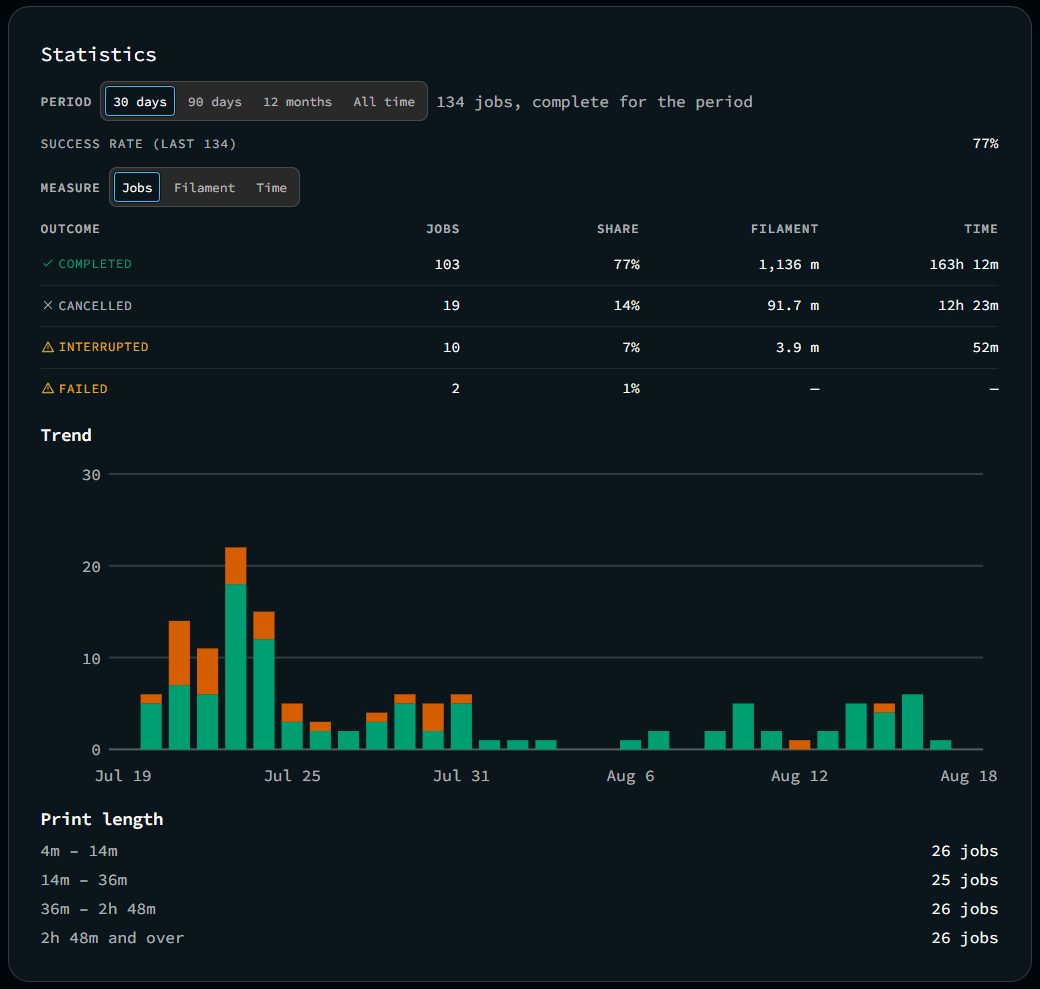
Statistics cover a period you choose (30 days, 90 days, 12 months, or all time), measured in jobs, filament, or time.
The header shows how many jobs are in the window, and whether that window is complete for the period.
Outcomes
Every outcome in the period, with its share:
| Outcome | |
|---|---|
| Completed | |
| Cancelled | You stopped it. |
| Failed | Klipper reported an error. |
| Interrupted | Something ended the job without a result. |
| Unknown | Moonraker recorded no outcome. |
Each outcome is shown in jobs, filament, and time, since a count alone does not distinguish ten failed one-hour prints from one failed twenty-hour print.
Trend
Completed jobs against everything else, period by period, in your chosen measure.
A falling trend line shows a printer getting worse. A success rate that drops from 95% to 70% over three months points to a maintenance interval you have not set.
Print length
The distribution of how long your prints run: what the printer is used for.
Completed jobs
The full list, newest first, with Load older jobs at the end. It pages on what was returned rather than a count, so nothing is skipped at a boundary.
Pages you have loaded stay loaded. A print starting or finishing adds it to the top of the list you already have, so paging back through a long history is not undone by the printer finishing a job while you read.
Each row shows its file, outcome, and when it ran. Click a job to see its duration and filament used, and the spool it came from, for jobs that used a Spoolman spool.
Three actions per job:
- Print again: Starts the same file now. Asks for confirmation first. If the file is no longer on the printer, it says so instead of failing when pressed.
- Add to queue: Adds the job's file to the print queue instead of starting it right away.
- Remove: Deletes the record. Lifetime totals keep the entry, and the confirmation states this.
When Moonraker cannot be read
The page keeps the last successful read on screen and marks it as not current. It does not clear the display and does not show zero values.